
Showing posts with label internet safety. Show all posts
Digital Literacy Resource

Digital Literacy is an animated, interactive web site that teaches students about digital literacy, safe use of the internet and more. The site is hosted by the Northwest Learning Grid.
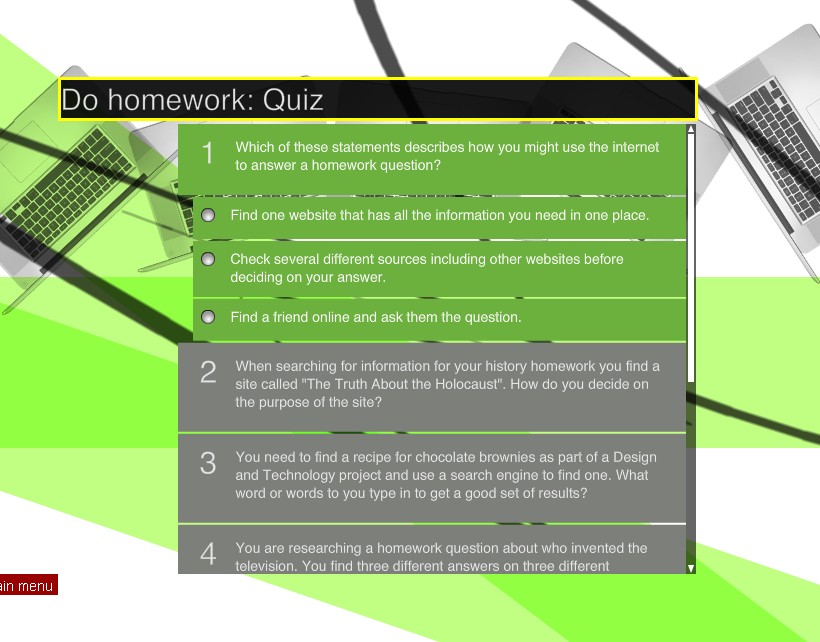
The site is beautifully designed with swirling graphics and minimal menus. It starts by asking the student to select one thing that they do on the internet. It then brings the student to a quiz about using the internet for that task.
The quiz asks some really good questions about the internet and it's usage for the task it selected. The site then "grades" the quiz with some feedback and brings the student to a menu of tutorials about internet use. Some of the tutorials go over analyzing web sites and blogs for relevancy, accuracy, and objectiveness.
I found the site to be fun and easy to use with some great information for students.
Bing - Microsoft's New Search site

When searching the internet, the results are displayed not based on relevance to the search term like the others, but based on how popular a site it is. Some early reviews and comments show a split among people, with some liking it and some hating it. Like anything else, it is personal preference.
The layout is similar to other search results, but you can click on an icon to the right of the result and see the first parts of that site.
In image search, you only get the images themselves in the results. However, hovering over an image brings up more details, like the source web page. This allows for a clean appearance, but I like Google's way of showing the source site because I use that as a guide for evaluating the image.
Video search will play a thumbnail view of the video in the search page when you hover your mouse over the thumbnail. There is a problem here though. If a user changes the filtering settings for Bing they can see ANY video in the thumbnail, even if there is a filter on the system that they are using. This means that a student could search for videos and watch them in thumbnail version, even if the source site is blocked by the school's filter system, so teachers beware.
Overall, Bing is a nice, different way of searching the internet. I suggest that people should try it out with the same search that they do on their normal search engine and see which they personally prefer, or which one gives them the best search results for them.
Media reviews

For instance, "Paul Blart, Mall Cop", is listed as 3/5 stars for how good it is, and appropriate for age 12 and up. The reviews include details about violence, sex, language, consumerism, drinking, drugs, smoking, messages and role models.
There is a section for parents and one for educators.
The site also has a lot of information on how to educate children about media and the internet to help keep them safe. The educator's section has information and resources about cyber bullying, cell phones, sexting, and internet predators.
The site is a great resource for parents and teachers.
Web safety resource

Web Wise Kids - http://www.webwisekids.org/index.asp - is a great resource for parents and schools. It has a variety of resources, many free, to help educate students on the dangers of online predators, sexting, and more. Some resources only have a "suggested donation." The costs are minimal and the resources are very good. You can also sign up to get updates of new and emerging technologies and how they can present issues for kids.
Subscribe to:
Posts (Atom)
